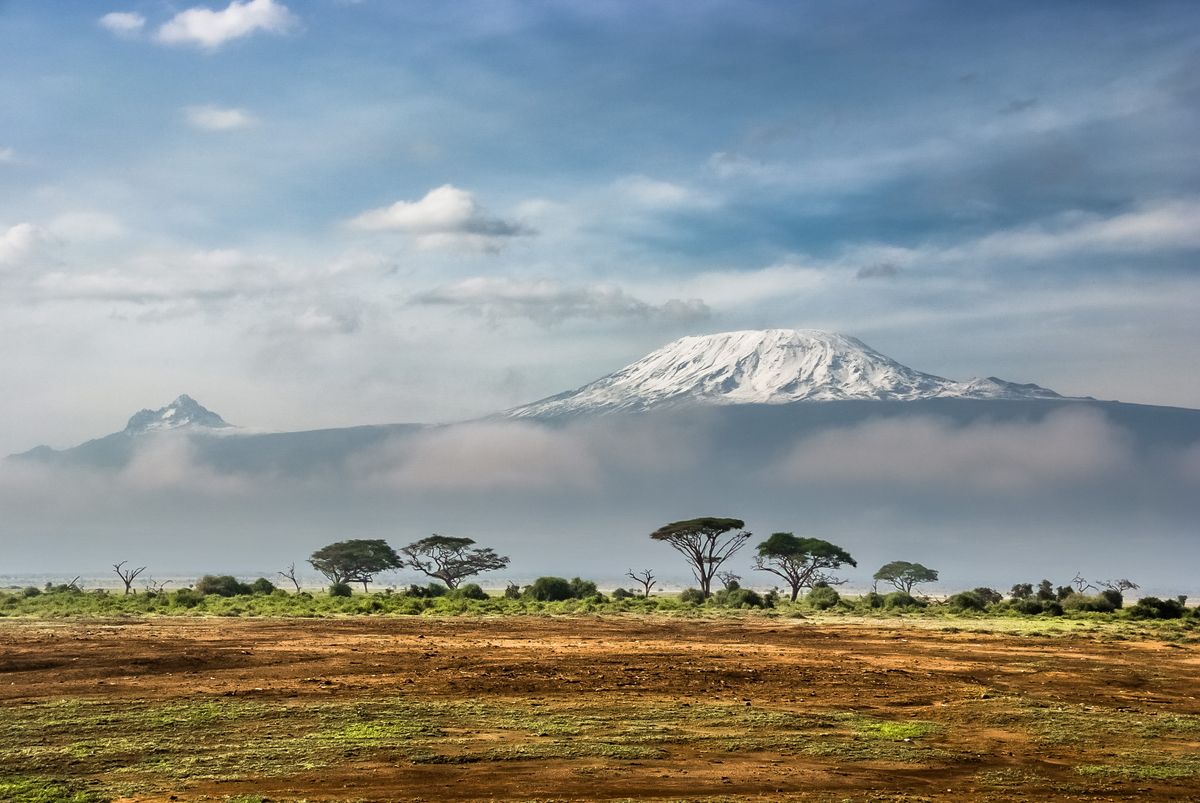
Tanzania eSIM: Stay Connected from Kilimanjaro to Zanzibar
Skip the SIM-card kiosks and roaming bills. Here's how to get fast, affordable mobile data in Tanzania the moment you land.
Picture yourself watching the sun rise over the Serengeti or stepping off the ferry in Zanzibar, phone in hand, already online. With a Tanzania eSIM, that's exactly how your trip begins, no airport queues, no plastic SIM cards.
Why use an eSIM in Tanzania
A Tanzania eSIM is a digital SIM you install before you fly. The moment you land, your data plan activates, so you can book a safari transfer, message your lodge, or pull up a map without paying brutal roaming rates.
Instant delivery to your email, set it up in minutes
Tanzania has strong, competitive mobile coverage. Our eSIM connects to leading local operators including Vodacom, Airtel, Halotel and Tigo, so you ride on whichever network is strongest where you are.
4G/LTE is widely available across cities and main tourist routes, with 5G expanding in major hubs
Dar es Salaam, Dodoma and Arusha (the gateway to the northern safari circuit) enjoy reliable coverage
Remote game parks and parts of the Serengeti can be patchy, so download maps offline before you go
How to get connected
1Buy your plan and check your phone supports eSIM (most recent models do)
2Scan the QR code we email you, or tap to install directly
3Land and switch on data roaming for the eSIM line, you're online
How much data do you need
Light use (maps, chat, email): around 1 GB per week
Everyday traveler (social, browsing, some photos): 3 to 5 GB per week
Heavy use (video calls, streaming, sharing safari clips): 10 GB or more
Zanzibar resorts often have Wi-Fi, but it's slow, so a data plan keeps you independent.
Capital: Dodoma (Dar es Salaam is the largest city)
Currency: Tanzanian shilling (TZS)
Languages: Swahili and English
Time zone: East Africa Time (UTC+3)
Don't miss: Mount Kilimanjaro, the Serengeti, Ngorongoro Crater and the beaches of Zanzibar
FAQ
Will my phone work with a Tanzania eSIM?
Most phones from the last few years support eSIM, including recent iPhone, Samsung Galaxy and Google Pixel models. Check your settings for an eSIM or digital SIM option before buying.
When should I install the eSIM?
Install it at home over Wi-Fi before you travel. Many plans let you set the start date, so activation kicks in when you arrive in Tanzania.
Can I keep WhatsApp and my own number?
Yes. Your eSIM only handles data, so your regular SIM and phone number stay active. WhatsApp, Signal and other apps keep working with your existing number.
Yes, eSIMs work on Tanzania's mobile networks. As long as your phone supports eSIM and is carrier-unlocked, a HelloSIM Tanzania eSIM connects to a local partner network shortly after you arrive.
Is my phone compatible with a HelloSIM eSIM for Tanzania?
Most phones from 2018 onward support eSIM, including iPhone XS and newer, Google Pixel 3 and newer, and recent Samsung Galaxy S, Note and Z models. Dial *#06# or check your settings for an EID number to confirm.
How do I check if my phone is eSIM-compatible?
On iPhone go to Settings, General, About and look for an EID or Available SIM entry; on Android check Settings, Connections, SIM manager. If an EID is listed, your device supports eSIM.
Do I need to unlock my phone to use a Tanzania eSIM?
Yes, your phone must be carrier-unlocked. eSIMs will not work on devices locked to a specific carrier, so check with your home provider before you travel.
How do I buy a HelloSIM eSIM for Tanzania?
Choose a Tanzania data plan on the HelloSIM website or app, pay online, and you will receive a QR code and setup instructions by email within minutes.
How do I install the Tanzania eSIM?
Open the email or app and scan the QR code in your phone's eSIM setup screen. The plan downloads as a new mobile data line you can switch on when you arrive.
How do I install an eSIM on iPhone for Tanzania?
Go to Settings, Mobile Data (or Cellular), Add eSIM, Use QR Code, then scan the HelloSIM code. Label it Tanzania and choose it for data when you land.
How do I install an eSIM on Android for Tanzania?
Go to Settings, Connections, SIM manager, Add eSIM (or Mobile network, Add), scan the HelloSIM QR code, and download the plan. Steps vary slightly on Samsung, Pixel and Xiaomi devices.
Which networks does HelloSIM use in Tanzania?
HelloSIM connects to leading Tanzanian networks such as Vodacom and Airtel, which have the widest national coverage. Your eSIM roams automatically onto an available partner network.
Is there 4G coverage in Tanzania?
Yes, 4G/LTE is available across Dar es Salaam, Dodoma, Arusha, Mwanza and Zanzibar, and in most towns. Rural and safari areas may drop to 3G or have no signal at all.
Is 5G available in Tanzania?
5G has launched in parts of major cities like Dar es Salaam and Dodoma via Vodacom and Airtel, but coverage is limited. Most of the country still runs on reliable 4G.
How much data do I need for a week in Tanzania?
For a week of maps, messaging, social media and light browsing, 3 to 5 GB is usually enough. If you stream video or upload safari photos and clips, consider 10 GB or more.
How much does a Tanzania eSIM cost?
Prices vary by data amount and validity, but short-trip plans are typically inexpensive and cost less than airport SIM kiosks or carrier roaming. Check the HelloSIM Tanzania page for current options.
How long is a Tanzania eSIM valid?
Validity depends on the plan, commonly ranging from a few days up to 30 days. The countdown usually starts when the eSIM first connects to a network in Tanzania.
Can I use my eSIM as a hotspot in Tanzania?
Yes, HelloSIM data plans support tethering, so you can share your connection with a laptop or tablet. Heavy hotspot use will consume your data allowance faster.
Can I keep my home number while using a Tanzania eSIM?
Yes, on a dual-SIM phone your regular SIM stays active for calls and texts while the eSIM handles data. Turn off roaming on your home line to avoid extra charges.
Should I activate my Tanzania eSIM before or after I arrive?
You can install it before you fly, but only enable it for data once you are in Tanzania so the validity period does not start early. Many plans activate automatically on the first network connection.
Do I need to change APN settings for Tanzania?
Usually no, as the APN configures automatically. If you have no data after activation, HelloSIM provides the correct APN to enter manually in your mobile data settings.
Do I need to turn on data roaming for my eSIM?
Yes, because the eSIM works as a roaming profile, you need to enable data roaming on the HelloSIM line. This will not affect your home SIM if you keep its roaming switched off.
What happens if I run out of data in Tanzania?
You can top up or buy a new plan instantly through the HelloSIM app or website without changing eSIMs. Your existing eSIM keeps its settings.
Can I top up my Tanzania eSIM?
Yes, you can add more data online whenever you are running low, and the new allowance applies to your existing eSIM profile right away.
Will my Tanzania eSIM work in Zanzibar?
Yes, Zanzibar is part of Tanzania and is covered by the same networks, with good 4G in Stone Town and the main tourist beaches. Signal can weaken in remote parts of the island.
Does the Tanzania eSIM work on safari in the Serengeti or Ngorongoro?
Coverage in national parks like the Serengeti and Ngorongoro is patchy and often unavailable in remote areas. Expect signal mainly near lodges, park gates and larger towns.
Can I use my Tanzania eSIM in Kenya or other neighbouring countries?
A Tanzania-only plan works just in Tanzania. If you are also visiting Kenya or other East African countries, consider a regional or multi-country HelloSIM plan.
Will I have internet at the airport when I land in Tanzania?
Yes, if your eSIM is installed and set to roam, it should connect soon after you land at airports like Julius Nyerere in Dar es Salaam, Kilimanjaro or Zanzibar. Turn off airplane mode to get online.
Can I make calls and send SMS with a HelloSIM Tanzania eSIM?
HelloSIM Tanzania plans are data-only, so they do not include a local number for regular calls or texts. Use WhatsApp, FaceTime or other internet-based apps to call and message.
Does the eSIM come with a Tanzanian phone number?
No, it is a data-only eSIM without a local number. Your home number stays reachable on your primary SIM if you keep it in the phone.
My Tanzania eSIM says no service, what should I do?
Make sure data roaming is on, the HelloSIM line is selected for data, and airplane mode is off. Toggling airplane mode or restarting the phone usually forces it to re-register on a network.
My eSIM will not register on a network in Tanzania, how do I fix it?
Try manually selecting a network in your mobile data settings and pick a partner like Vodacom or Airtel. Also confirm you have arrived in-country, as the eSIM only connects on local networks.
What is the emergency number in Tanzania?
The main emergency number in Tanzania is 112, which reaches police, ambulance and fire services. Emergency calls generally work even without an active data plan.
What download speeds can I expect in Tanzania?
In cities on 4G you can typically expect speeds fast enough for streaming, video calls and navigation. Speeds drop in rural areas, on safari and during network congestion.
Can I get a refund on my Tanzania eSIM?
Refunds are generally possible for eSIMs that have not been installed or activated. Check HelloSIM's refund policy at checkout, as used or partially used plans usually are not refundable.
Should I set up offline maps before my Tanzania trip?
Yes, downloading offline Google Maps or Maps.me for Dar es Salaam, Arusha, Zanzibar and any safari routes is smart. It saves data and keeps you navigating in low-signal areas.
Can I install the Tanzania eSIM before my flight?
Yes, install and configure it at home over Wi-Fi so everything is ready. Just wait to enable it for data until you reach Tanzania to preserve the validity window.
Will installing an eSIM delete my other SIMs or eSIMs?
No, adding a HelloSIM eSIM does not remove existing SIMs. Modern phones hold multiple eSIM profiles, and you simply choose which line handles data.
Can I use one Tanzania eSIM on two phones?
No, each eSIM QR code can only be installed on one device. If you need connectivity on a second phone, buy a separate plan for it.
Is a HelloSIM eSIM cheaper than roaming in Tanzania?
In most cases yes, an eSIM data plan is far cheaper than standard international roaming from your home carrier. It also avoids bill shock from pay-per-MB roaming rates.
Do I still need a local SIM card if I have a HelloSIM eSIM?
No, the eSIM covers your data needs without hunting for a local SIM shop or showing your passport to register. It is ready the moment you land and enable data.
How quickly do I receive the eSIM after buying?
Delivery is typically instant, with your QR code and instructions emailed within a few minutes of purchase. You can install it right away over Wi-Fi.
Any tips for staying connected while travelling in Tanzania?
Install and test the eSIM before flying, download offline maps and translation apps, and buy a bit more data than you think you will need for safaris. Use hotel and lodge Wi-Fi to conserve your plan.